


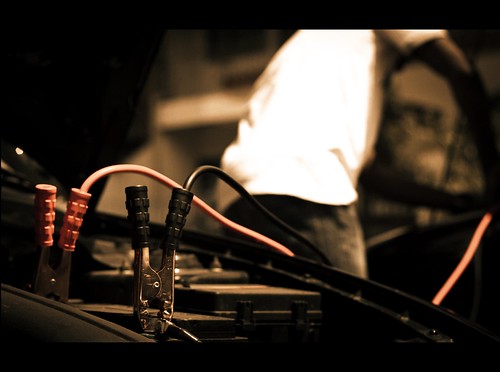
Your Toyota consists of numerous components and systems, many of which can become worn or faulty at some point. To avoid unnecessary hassle and costs, you should make sure that your vehicle receives the best care and attention through proper maintenance. While it’s essential to stay on top of your routine maintenance schedule, there are some simple problems that you can fix without going to a service center. Follow this Toyota personal maintenance guide to learn how to perform simple maintenance tasks yourself.
How To Jump-Start Your Prime Toyota
If your Toyota Prius Prime or RAV4 Prime runs out of battery and leaves you stranded, you can get your vehicle started again by jump-starting it from another car. However, the process of jump-starting a Prime model is a little different from how you’d do it on a gasoline-powered car. Follow these steps to jump-start your Prime Toyota safely:
- Open your Toyota Prime’s hood and remove the cover of the fuse box.
- Flip up the red terminal cover with a “+” symbol to gain access to the positive terminal of your Prime.
- Attach one of the clamps of the red positive jumper cable to the positive terminal of your vehicle and the other clamp to the positive battery terminal of the car providing the jump.
- Connect the negative lead of the black negative cable to the U-shaped metal bracket located on the passenger side of the engine and the other lead to the negative battery terminal of the assisting car.
- Start the vehicle providing the jump and wait for five minutes.
- Start your Prime Toyota when you see an illuminated “Ready” light on the indicator panel.
How To Reset Toyota Tire Pressure Light
Found in many Toyota vehicles, the tire-pressure monitoring system is a feature that helps you maintain tire inflation. If your tire pressure drops or rises beyond a safe range, the tire pressure light on your dashboard will come on. Once you’ve taken care of the tire inflation problem, the light should reset automatically. If it stays on, you can reset it by doing this:
- Put your Toyota in park and turn the ignition key to the “On” position or tap the start button without applying pressure to the brake pedal.
- Reach under the steering wheel and search for the tire-pressure monitoring system reset button, which is located to the left of the steering column.
- Press the button and hold it until the tire pressure light in your dashboard blinks three times.
- Start the engine, and the system should reset within 20 minutes.
How To Change the Battery in a Toyota Key Fob
The battery in a Toyota key fob can last a long time, but this doesn’t mean it won’t run out of power. If you find that your key fob battery is dead, you can easily replace it without going to a service center. Here’s how:
- Look for a small metal button above the key part of your Toyota key fob.
- Press the button to release the key.
- Insert a small screwdriver into the key slot and pop open the fob.
- Gently remove the green circuit board, being careful not to damage any components.
- Replace the battery with a new one of the same type. Most Toyota key fobs use a CR 2032 3V battery, which you can find at most electronic stores or your local Toyota parts center.
- Put the key fob back together, and insert the key into the key slot.
How To Reset the Service Light on a Toyota
The purpose of the service light in your dashboard is to remind you that your vehicle is due for service. After you’ve taken your vehicle to a Toyota service center for an oil change, tire rotation, or other maintenance service, you may have to reset the light so that it can continue to monitor the condition of your vehicle. Below are instructions for resetting the maintenance light on your Toyota:
- Turn the ignition key to the first position, which is the position just before starting the engine.
- Press and hold the trip-meter reset button in the dashboard and then turn the key to the second position.
- Keep holding the trip-meter reset button for 10 seconds, and you should see the light flash and then disappear.
- Once the service light has gone away, release the trip-meter reset button and start your vehicle.
- If the light stays on, repeat the process one or two more times to reset it.
- If the problem continues, it may indicate that your Toyota needs additional maintenance services. In this case, you should schedule a service appointment to have a technician inspect and service your vehicle.
How To Inspect Your Toyota’s Windshield Wipers
Windshield wipers are often overlooked, but they play an important role in helping you stay safe behind the wheel. When they’re working properly, they’ll do a better job of keeping your windshield clean and providing a clear view of the road ahead. However, they can become worn or damaged over time. Take these steps to determine whether you need to replace your windshield wipers:
- Lift one of the windshield wipers off the windshield.
- Check the rubber blade for lengthwise cracks and examine the edge of the blade. A worn blade that’s due for replacement will likely have cracks or a rounded or scuffed edge.
- Repeat the same process with the other wiper blade.
Need Professional Help in Prosper, Texas?
If the tips above don’t help or you need to replace a fluid or part, consider bringing your vehicle to a Toyota service center. Longo Toyota of Prosper is the go-to place for drivers in Prosper, Texas, who are looking for reliable auto services. Our service center provides a full range of maintenance services to help you keep your Toyota running smoothly. Whether you need an oil change, tire rotation, battery inspection, or brake service, you can count on our factory-certified technicians to get the job done right and fast. Contact us today to schedule a service appointment.
365.057 – The Mid-Day Jump-Start by Al Ibrahim is licensed with CC BY-SA 2.0 DEED
Connect with us


